Mumbai Crime Branch Arrests Developer Who Built 2,805 Malicious APKs Duping 9,600+ People: How Android Trojans Steal Banking Access
Mumbai Crime Branch arrested a software developer from MP who created 2,805 malicious APKs used by cybercrime syndicates to dupe over 9,600 victims. Learn how malicious APKs bypass security and how to protect your Android phone.
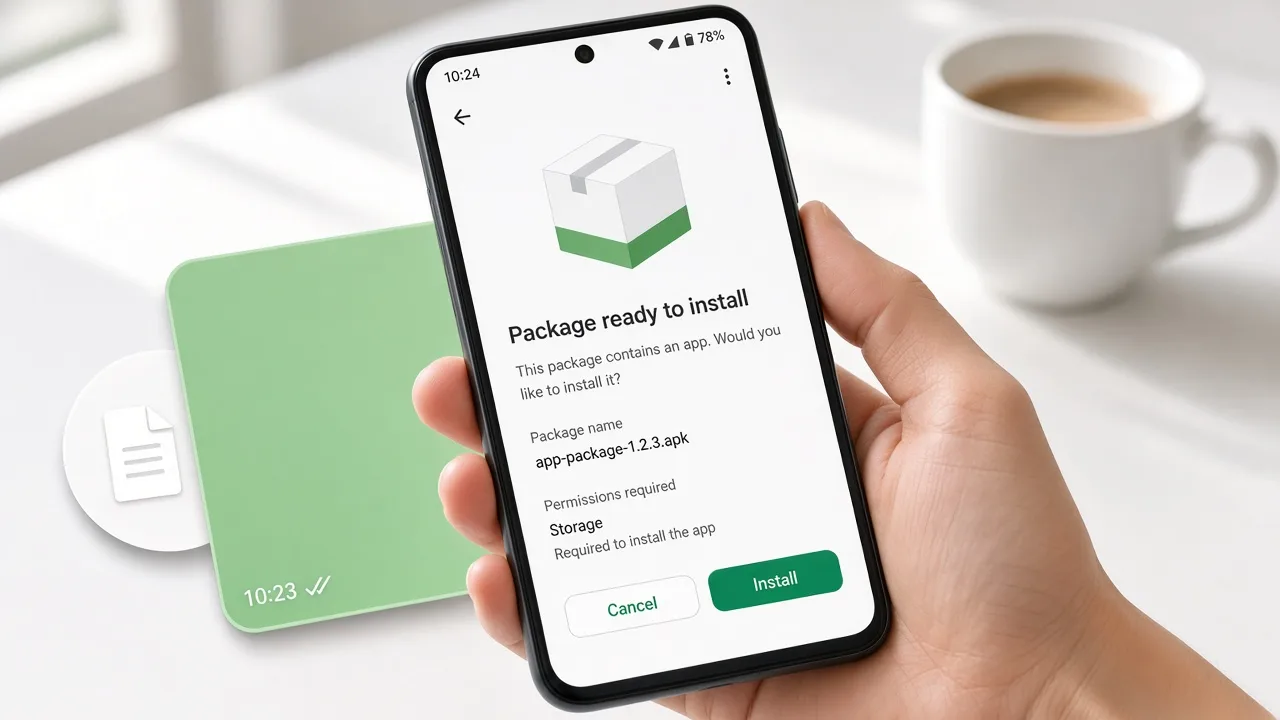
In one of the most significant strikes against cybercrime infrastructure in India, the Mumbai Crime Branch arrested a 36-year-old software developer from Madhya Pradesh who was running a massive software factory for cyber syndicates.
Investigators revealed that the accused had engineered 2,805 custom malicious Android Package Kits (APKs) and sold them to various cyber gangs operating across the country. Forensic analysis linked these malicious applications to financial frauds affecting approximately 9,673 victims nationwide.
The case came to light after a senior citizen in Mumbai was defrauded of ₹5.62 lakh. The victim received an APK file on WhatsApp titled "Senior Citizen Card Verification" from an attacker posing as a Bank of India official. Once installed, the malicious file gave scammers complete control over the device, silently redirecting OTPs and draining bank accounts.
Here is how malicious APK networks operate behind the scenes and how to protect your Android device from background takeover.
1. How a Malicious APK Hijacks Your Smartphone
When you install an official app from the Google Play Store, security scanners audit its permissions. Scammers bypass this protection by sending raw .apk installation packages directly over WhatsApp, Telegram, or SMS.
| Stage | Scammer Action | Technical Hijack | Impact on Victim |
|---|---|---|---|
| Bait & Social Engineering | Attacker poses as a bank representative or government body, sending an APK titled "Senior Citizen Card Verification" or "KYC Update". | File delivered as a raw .apk installer over WhatsApp or messaging apps. | Victim assumes it is an official administrative procedure. |
| Sideloading Bypass | User prompted: "Allow installation from unknown sources / Install anyway." | User manually overrides Android operating system security guards. | Malware gains executable permissions on the operating system. |
| Permission Harvesting | App requests Accessibility Services, SMS Read/Receive, and Call Forwarding permissions. | Malicious service starts running in the background without a home-screen icon. | Attacker can read every incoming SMS, OTP, and banking alert in real time. |
| Remote Liquidation | Scammer initiates unauthorized NEFT/IMPS transfers or changes net banking passwords. | Remote keylogger captures credentials; SMS listener intercepts 2FA OTPs silently. | Bank account drained without any visible notification on the victim’s screen. |
Once the APK intercepts SMS OTPs, scammers exploit unconscious trust in digital payment channels to siphon funds into untraceable mule accounts.
2. Why Cyber Gangs Buy Custom APKs from Developers
This arrest exposes the "Cybercrime-as-a-Service" (CaaS) model operating across India:
- Automated SMS Interception: Unlike phishing websites where victims must type their OTPs, a malicious APK automatically forwards authentication tokens directly to attacker servers via Telegram bots.
- White-Label Fraud Tools: The developer created over 2,800 variations—customized with logos of major banks, utility providers (electricity bill updates), and government verification schemes.
- Screen Overlay Attacks: The trojan can detect when a user opens an authentic banking or UPI application and superimposes a fake login screen over it to harvest credentials.
3. Critical Signs That Your Phone Has an Unsafe APK
If you or an elder in your family clicked on a shared installation file, check for these warning signals immediately:
- Missing App Icon: The installed APK does not show up on your home screen or app drawer, but shows as an active service in Settings → Apps.
- Battery Drain & Overheating: The device heats up even when idle because background processes are continuously streaming data to external command-and-control servers.
- SMS Alerts Stop Appearing: You stop receiving routine bank debit SMS alerts because the trojan is intercepting and suppressing notification alerts.
4. How to Prevent Malicious APK Takeovers
- Never Install Apps via WhatsApp or SMS: Legitimate banks and government departments never distribute verification software or KYC updates via
.apkfile attachments on chat apps. - Lock Down Sideloading in Android Settings:
- Go to Settings → Security & Privacy → Install unknown apps.
- Ensure that WhatsApp, Chrome, Telegram, and Messages are strictly set to "Not Allowed".
- Audit Accessibility Permissions:
- Go to Settings → Accessibility → Downloaded Apps.
- Disable any app that you do not recognize. Trojans exploit Accessibility Services to gain complete screen-reading control.
- Scan with Official Security Utilities:
- Use M-Kavach 2 (developed by C-DAC, Government of India) to scan for hidden trojans, anomalous permissions, and dormant sideloaded packages.
5. What to Do If You Accidentally Installed a Malicious APK
- Disconnect Network Instantly: Turn on Airplane Mode and turn off Wi-Fi immediately. This severs the attacker's remote connection to your device.
- Boot into Safe Mode & Uninstall: Boot your Android phone into Safe Mode (press and hold Power, then tap and hold Power Off). Go to Settings → Apps and uninstall the unknown application.
- Call Helpline 1930: Contact the National Cyber Crime Helpline (1930) to freeze outgoing bank transfers before funds leave the initial recipient accounts. Also file on cybercrime.gov.in.
- Perform a Complete Factory Reset: If persistent malware has compromised administrator settings, back up clean personal photos/contacts and perform a complete system factory reset.
Reference & Source
- Arrest details and APK volume figures referenced from reporting by The Hindu and Mumbai Crime Branch briefings.
- Report device compromise and fraud on cybercrime.gov.in; block lost devices via Sanchar Saathi / CEIR.
Related Guides & Scam Breakdowns
Read next

Malware
Cyber Crime, Malware & Types of Hackers: Complete Reference Guide
Social Engineering
Why Growing Trust in Digital Payments Leaves Indians More Exposed to Cybercrime: The Convenience Paradox Explained

Social Engineering